AI avatars finally move their whole body
AI avatars used to stop at the face — the head moved, the shoulders didn't. Tavus Phoenix-4.5 renders the whole frame in 134ms. Here's what changes.
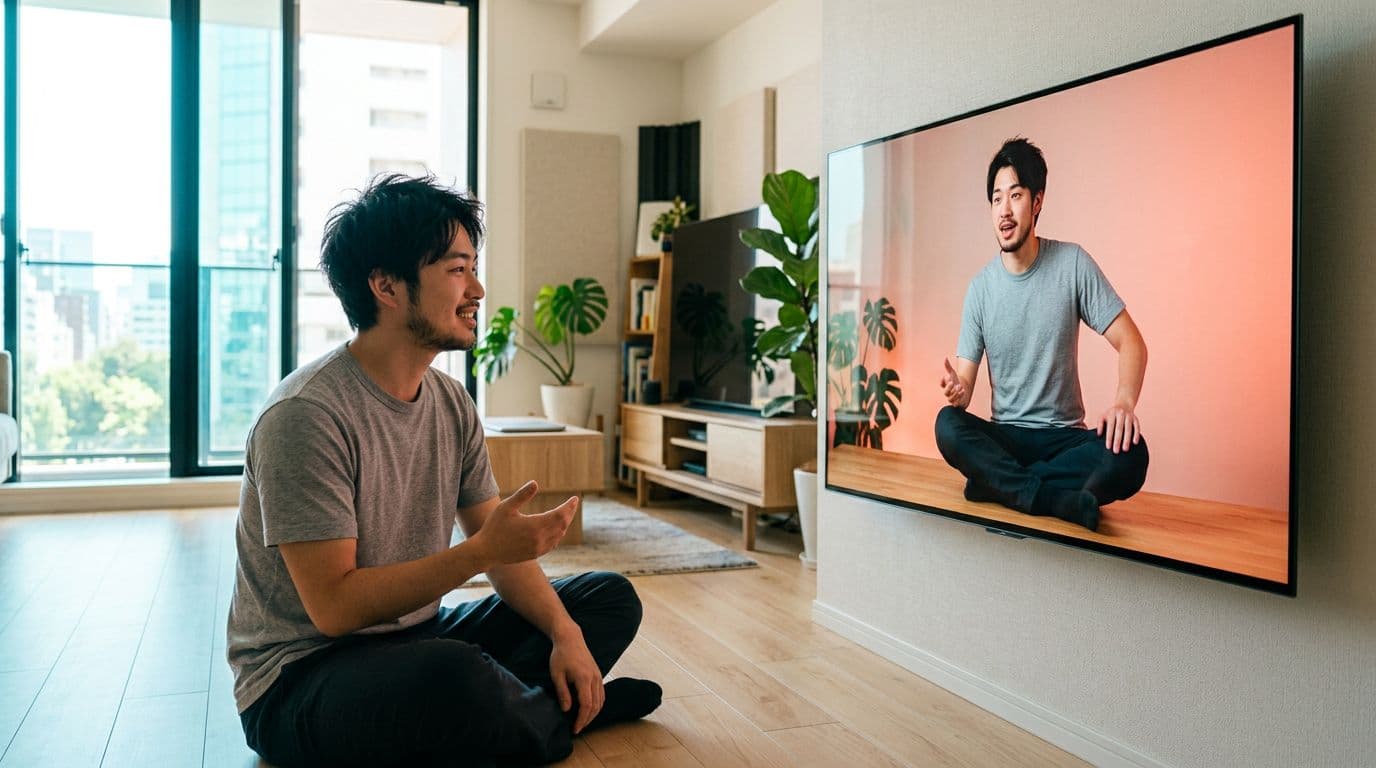
You've probably felt it without naming it. The face on screen talks. The head moves a little. But the shoulders sit dead-still and the whole person looks pasted-in — because they were.
Tavus's new Phoenix-4.5 renders the head, shoulders, torso and clothing as one frame — the avatar moves with the words, not just around the mouth.
It goes from audio to rendered video in 134ms — fast enough to hold a live conversation, and 25% faster than any other real-time model.
It's the first Phoenix version that renders a new face zero-shot: upload a photo, watch a preview in about a minute while fine-tuning runs in the background.
Real-time AI avatars have been getting closer to a real person for two years. Phoenix-4 last year made the face emotionally intelligent — it could listen, react, hold a mood. What it couldn't do was move. Everything above the collarbone shifted; everything below sat there. Anyone who's built with these models has seen it: your PAL turns its head and its shoulders don't come along.
Phoenix-4.5 fixes that at the architecture level. Instead of animating a 512×512 patch around the face and gluing it onto pre-recorded body footage, the model now generates the entire frame — face, head, neck, shoulders, torso, clothing, surroundings — in one pass. No mask, no seam, no boundary for a shoulder shrug to expose. Receipts: Tavus's Phoenix-4.5 announcement, September 10, 2026.

How to think about your AI avatar now that the whole body moves
The following images were generated using Nano Banana 2:
Give the model something to move with, not just a face to render. Older workflows fed the model a headshot and asked for a talking head. Phoenix-4.5 renders shoulders, posture and clothing — so what you give it as reference is what will move. Frame from the chest up, not tighter than the shoulders, and let the shirt collar be visible. A hoodie shot cropped at the neck line will render with a hoodie that moves; a passport crop will render with an invented torso that never quite matches you.
Record a short reference video, not just a photo. Zero-shot preview works from a single image — about a minute — but the fine-tuned Face that actually looks like you across a full conversation trains on video. Twenty seconds of yourself gently speaking to a phone at eye level, indoor daylight, no ring-light circles in the pupils, is enough for the model to lock the way your shoulders sit and how your head follows your voice. That is now the delta between an avatar that reads as you and one that reads as a plausible stranger.
Design the frame you'll be in. Because the whole frame is generated in one pass, the background moves subtly along with the avatar — soft light shifts as the head tilts, edges compress with the camera. Pick a background you'd want to be in for real: a warm wood wall, a plain seamless colour, a lit acoustic panel. Bright, real-looking rooms hold up. Cheap green-screen composites read as fake precisely because everything else is moving now and they aren't.
Stop asking the mouth to carry the sentence. In Phoenix-4 (and in every talking-head model competing with it) a strong emotional beat felt off because only the face landed it. In Phoenix-4.5 you can write dialogue that leans on posture — a shoulder shift on emphasis, a small head cadence, a torso lean-in on a question. Direction that used to be wasted on a static body — "she leans forward a little", "he shrugs before answering" — now shows up on screen.
Worked example — the reference-video shot. What twenty seconds of usable reference footage actually looks like.

Prompt (Nano Banana 2, 1:1):
A mid-50s Black woman with short natural silver-flecked hair, wearing a linen olive shirt, sitting at a warm-oak home studio table. Phone on a small tripod at eye level, warm LED ring light, a small vocal microphone in view. She is speaking gently to the camera, one hand resting on the table. Bright airy natural daylight from a window at left. Palette: warm sage + cream + walnut. Editorial photography, sharp focus, high detail, well-exposed, bright.
Worked example — the frame you're rendered into. What a background that will hold up under whole-frame motion looks like.

Prompt (Nano Banana 2, 1:1):
Modern podcast recording booth interior, no dominant human. Two studio condenser microphones on boom arms above a warm-oak round table, a slim laptop between them showing a photorealistic AI avatar preview mid-blink, one empty leather director chair. Acoustic wood-slat walls behind. Bright warm key light overhead plus soft cool daylight bounce from a window on the right. Palette: oak + warm amber + cream + subtle teal accent. Editorial interior photography, sharp focus, high detail, well-exposed, bright.
The interesting shift here isn't the metric jump (16% better lip sync, 25% faster than the next model). It's that AI-avatar craft is finally about the person behind the avatar, not the software animating the face. What you wear, how you sit, the way your shoulders drop when you finish a sentence — that's the raw material now. The model is finally big enough to notice it. That is what you should be designing for.
The bottom line for AI avatar creators
The interesting question stops being "will the mouth match the audio?" — that's basically solved. The new one is: whose posture, whose torso, whose small idle movements are you feeding the model? That part is yours to control. If you want your own AI avatar built with a proper reference video and a face that carries through a full conversation, start with your avatar.
FAQs about Phoenix-4.5 and AI avatars
Do I need to re-record if my avatar was made on Phoenix-4?
Not for stock Faces — every existing Tavus stock Face has been upgraded to Phoenix-4.5, and 50 new Faces were added. For a custom avatar, Tavus reports that 64% of Faces that failed to train on Phoenix-4 now train successfully on 4.5, so it's worth re-running yours.
Can I get a working avatar from a single photo?
For the zero-shot preview, yes — it's ready in about a minute. Fine-tuning then runs in the background for roughly two hours and the fine-tuned version is what you'd use in production.
What does "134ms audio to video" actually feel like?
Below about 200ms is where a real-time back-and-forth stops feeling laggy. 134ms is fast enough to hold a spontaneous conversation, not just play back a scripted line.
Will this run on my laptop?
No. Phoenix-4.5 renders in real time on Tavus's cloud infrastructure and you interact with it through their API or the Conversational Video Interface. It is not a local model.
Does it handle glasses, long hair, headbands?
Better than Phoenix-4 did. Long hair, glasses, earrings and headbands were the main failure modes on 4 — most of those now train reliably on 4.5.