How to Choose a Voice for Your AI Avatar
Library voice, designed voice or your own clone: match the voice to your avatar's face, test it fairly and record a clean sample.
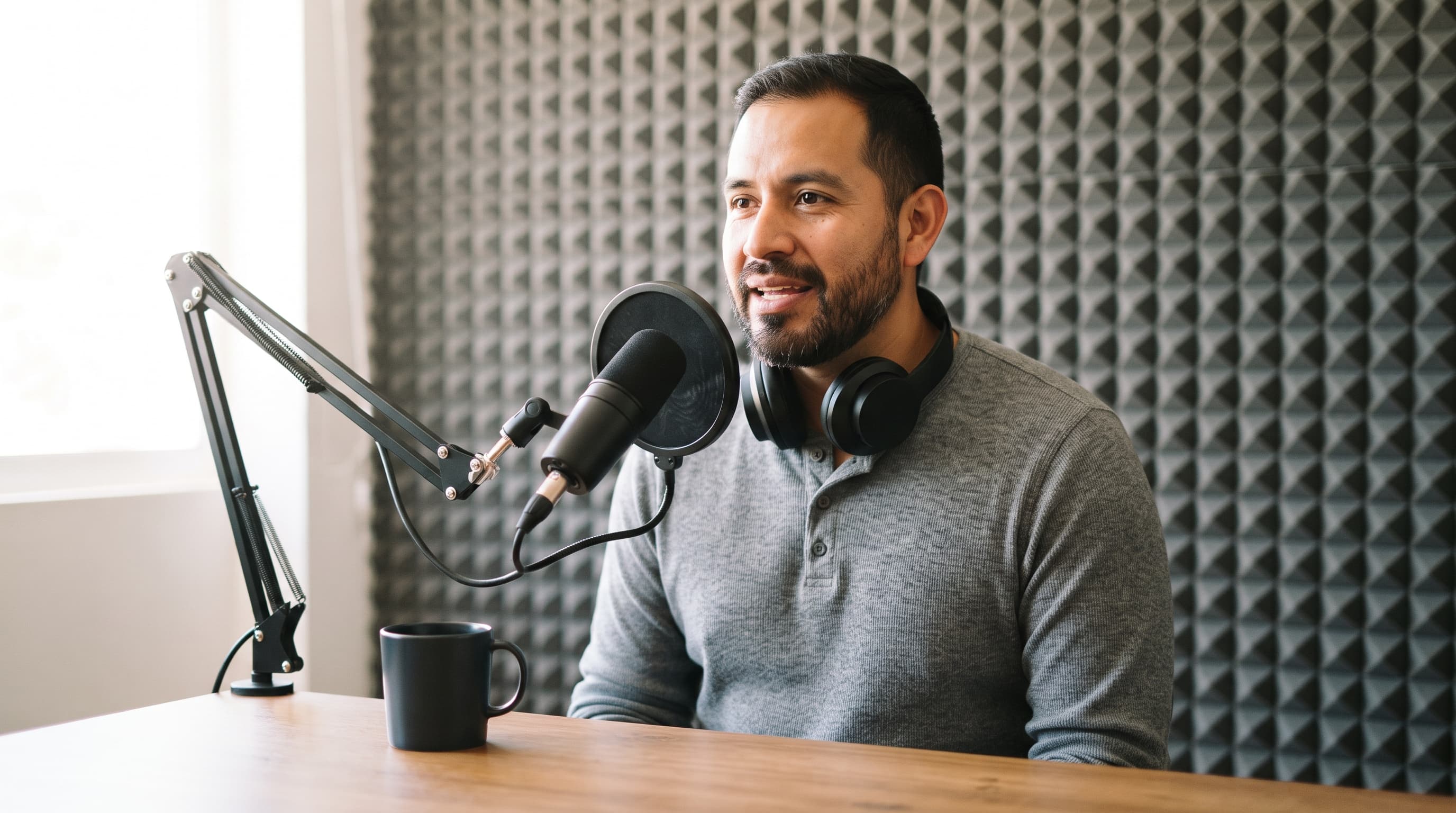
Your avatar's face holds steady and moves well, and then it opens its mouth and the illusion breaks: the voice is too young, too bright, or simply belongs to someone else. This guide shows you how to choose a voice on purpose, test it fairly, record a clean sample if you clone your own, and keep that voice the same in every video.
What you need
- A finished avatar face, ideally in the 9:16 framing you will publish.
- A text-to-speech tool with a voice library, voice design or cloning (the examples here use ElevenLabs).
- One short script line written the way your character actually talks.
- For a clone: a quiet room, a decent microphone or a phone, and one to two minutes of steady reading.
- Headphones, so you hear noise and clicks before your audience does.
Step by step
- Write a voice brief from the face. Write one line: language, gender, age range, timbre, pace and mood, for example "Native English. Male, 40–45. Warm, low, unhurried. Calm and reassuring." A 20-something face with a 50-year-old voice is the first thing viewers notice.
- Pick your route: library, design or your own clone. Take a library voice when one fits the brief, use Voice Design when nothing does, and clone a real voice only when it is yours or you have the owner's consent. ElevenLabs asks you to confirm you have the right and consent before it saves an Instant Voice Clone.
- Test one script in three voices. Write a single line of about fifteen words that sounds like your real content and run it through three candidate voices with the same settings. Spell out numbers as words; the ElevenLabs guide says digits and symbols make the output less predictable.
- Start from the default settings. In ElevenLabs the usual starting point is Stability around 50, Similarity around 75 and Style at 0. Lower Stability gives a wider emotional range but can turn erratic; higher Stability sounds steadier but can go flat.
- Record a clean sample for a clone. Record one to two minutes of your own voice in a quiet, soft room, with no reverb, music or second speaker. ElevenLabs suggests a level between -23 and -18 dB RMS with a true peak around -3 dB, and the same tone and pace from start to finish.
- Lock one voice per character. Once a voice is chosen, write down its name, the model and every setting, and use exactly that for every clip of that avatar. Keep the original clone recordings too, because a re-made clone sounds slightly different even from the same audio.
- Check the voice on the moving face. Render one short talking clip, watch it full screen at 9:16 on a phone, then watch it again muted. If the mouth looks busy while the voice sounds calm, or the reverse, change the voice before you change anything else.

ElevenLabs puts the order of importance plainly: voice first, then model, then settings, so spend your time on steps 1 to 3. For a language other than English, pick a native voice; any voice can speak another language but keeps its original accent.
On Eleven v3, Similarity, Speed and Speaker Boost are not available; expression comes from audio tags in the script, such as [curious], [whispers] or [sighs], which ElevenLabs says also work in Eleven v4. One or two per clip is enough.
Voice Design builds a voice from a description. ElevenLabs suggests: "Native <Language>. <Gender>, <Age range>. <Quality level>. Persona: <2–5 words>. Emotion: <2–3 adjectives>." Each generation gives three options. Avoid effect words like "reverb" or "phone", and keep the preview text in the character's mood.
On ai-creator.academy, the video generator's lip-sync mode runs step 3 on your actual avatar: type a line of up to about 18 words, pick one of six preset voices (Calm, Excited, Warm, Neutral, Confident, Serious) and render at 9:16.
Worked example — the narrator in the recording nook. A calm explainer in his 40s gets a warm, lower voice; listening back on headphones catches the hiss and mouth clicks a clone would otherwise copy.

Prompt (Nano Banana 2, 1:1):
Square editorial photograph, bright and well exposed: close-up portrait of a Latino man in his 40s with a neatly trimmed dark beard, wearing plain matte black closed-back headphones with no markings, eyes closed, one hand lightly pressed to an ear cup as he listens carefully to a playback. A plain black studio microphone with a pop filter sits blurred in the foreground, grey acoustic foam panels behind him, warm side light from a window. Natural skin texture, calm concentrated expression, 85mm lens, shallow depth of field. All equipment completely unbranded: no labels, no logos, no text anywhere, no screens.
Worked example — the duvet booth. With no studio, she records her clone sample on a phone under a thick duvet, which cuts room echo; ElevenLabs says how audio is captured matters more than the file format.

Prompt (Nano Banana 2, 1:1):
Square editorial photograph, bright and well exposed: a woman in her 20s with long wavy red hair and light freckles sits on the floor of a quiet bedroom leaning against the side of her bed, a thick duvet draped over her shoulders and head like a small tent to soften the sound, holding a smartphone near her mouth as she speaks, smiling slightly. Soft daylight from a window, pillows and a rug around her, warm cosy tones. Phone seen from the back or side only. Natural skin texture, 50mm lens. No text, no logos, no readable screens.
Common mistakes
- Choosing the voice before the face. You end up bending the avatar to fit. Write the voice brief from the finished face instead.
- Feeding a clone more, noisier audio. ElevenLabs says over three minutes adds little and can make an Instant Voice Clone worse. Use one to two clean minutes.
- Pushing Similarity on a noisy sample. A high Similarity setting on poor audio reproduces the noise and artefacts. Fix the recording first, then raise the slider.
- Switching voices between posts. Followers recognise a character by voice as much as by face. Save the voice name, model and settings and reuse them every time.
The bottom line
Pick the voice the way you picked the face: from a brief, against a real script, on the moving avatar, and then keep it. A library voice is the fastest start, Voice Design fills gaps, and a clone of your own voice pays off with one or two clean minutes. If you don't have a face to test on yet, start with your avatar.
FAQs
Should I use a library voice or clone my own?
A library voice if one fits the brief. Clone your own when the avatar represents you, and someone else's only with their consent.
How long should a voice clone sample be?
For an ElevenLabs Instant Voice Clone, one to two minutes of clean, consistent speech. Professional Voice Cloning needs 30 to 180 minutes and takes hours to train.
What settings should I start with in ElevenLabs?
Stability around 50, Similarity around 75 and Style at 0, then change one thing at a time.
Can I change the accent of a clone later?
No. ElevenLabs says the accent and tone of a clone can't be changed after it is made; to change them, record new samples.
Does the voice affect lip-sync?
Yes. Pace and energy show in the mouth, so judge the voice on the moving clip, not in isolation.
Sources: