How to frame AI images for 9:16 reels
Your AI shot looks great until the caption covers the face. Frame for 9:16 from the first prompt: eyes high, quiet bottom, room to move.
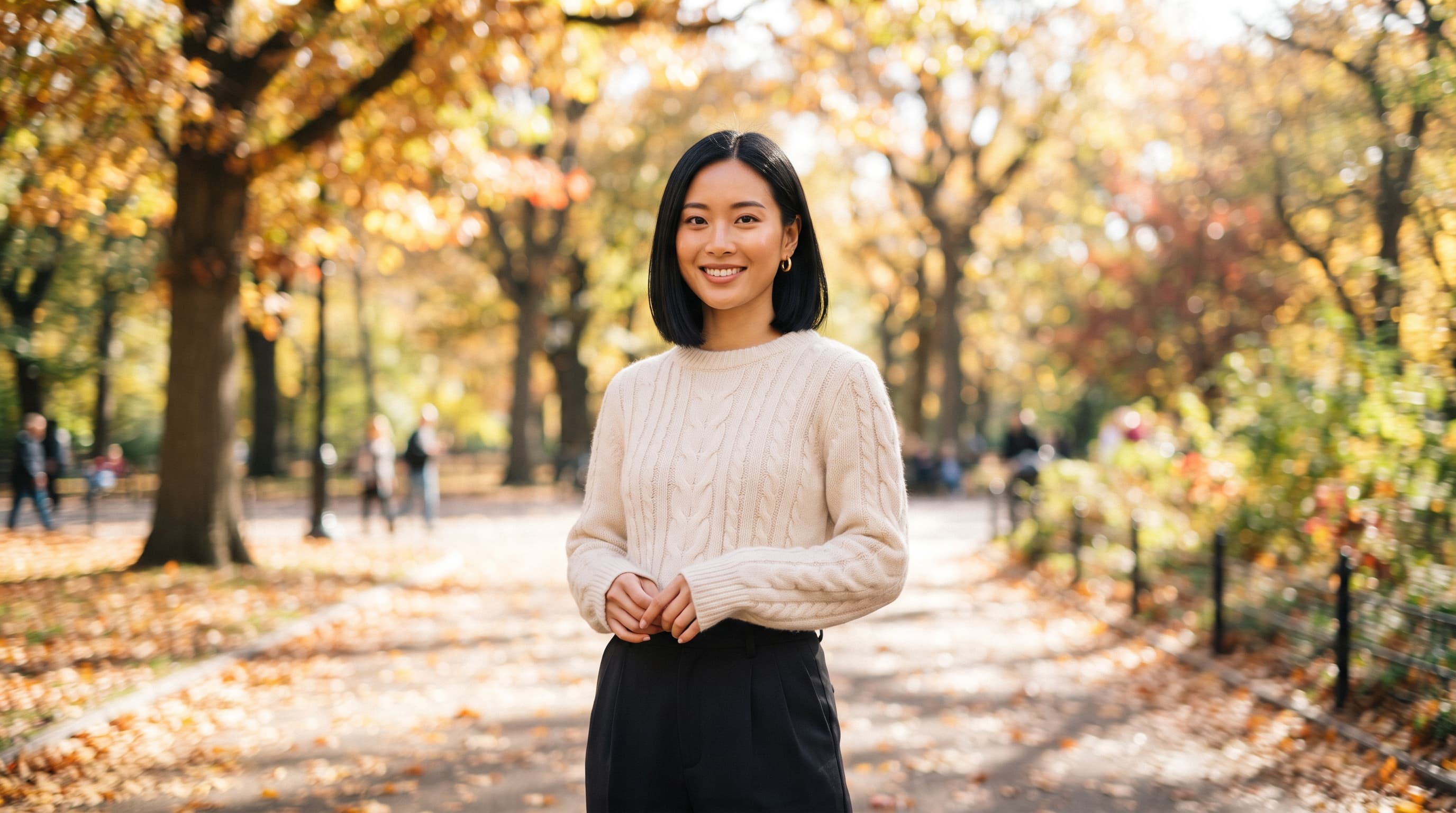
You generate a portrait you love, drop it into a reel and the problem shows up straight away: the caption sits on her chin, the like button covers her hand and the top of her head is cut off. The image was fine. The framing was made for a different screen. This guide shows how to frame AI images for 9:16 reels from the first prompt, so the face, the hands and any text you add all stay visible.
What you need
- An image model that renders 9:16 natively. Nano Banana 2 supports 9:16 along with 1:1, 4:5, 16:9 and other ratios.
- The rough layout of a reel: the top and bottom of the screen are covered by the app.
- One test image of your avatar to check against.
Step by step
- Generate in 9:16 from the start. Don't render 16:9 and crop it later. A 9:16 crop from a 1920 × 1080 frame keeps a strip only about 608 pixels wide, roughly a third of the picture (our arithmetic), and the model never planned the scene for that strip.
- Keep the bottom third quiet. For Reels ads, Meta asks you to keep about 35% of the bottom, 14% of the top and 6% of each side free of text and key elements; on a 1080 × 1920 frame that is roughly 672 pixels at the bottom and 269 at the top. Meta publishes no separate numbers for organic Reels, so these are the safe margins to borrow. Describe something calm for the lower part: "plain wooden table edge", "clean pavement", "her shirt and nothing else".

- Put the eyes high. Ask for the eyes in the upper part of the frame, below the top band. In the prompt, say "eyes positioned high in the frame" and "space above her head". That keeps the face clear of the caption block and gives you room for a title.
- Name the shot size and the lens. Google's own Nano Banana guide recommends photographic terms over adjectives. "Medium close-up, 50mm lens at eye level" or "full-length, 35mm lens at chest height" tells the model exactly how much of the person to show. "Vertical portrait" alone does not.
- Leave space for your words. If you'll add a hook or subtitles, ask for it in the image: "plain beige wall with empty space above her head". A busy background behind text is the most common reason reels look cluttered.
- Leave room to move. If the image will become a video, keep the person off the edges. Image-to-video models push in, pan and add gestures; a subject that already touches the frame edge gets cropped the moment the camera moves. "Small in the frame with generous space on all sides" fixes this.
- Check it the way people will see it. Look at the image at phone size with the top 14% and bottom 35% covered by your thumb. Then look at the centre: Instagram shows a centred crop of the cover on your profile grid, so the face should sit near the middle, not at the very top.
Worked example — the talking-head frame. Eyes high, a plain wall with room for a title, and a lower half that the caption can cover without losing anything.

Prompt (Nano Banana 2, 1:1):
Medium close-up portrait of a Latina woman in her thirties with long dark wavy hair and gold hoop earrings, wearing a rust linen shirt, eyes positioned high in the frame, plain warm beige wall behind her with empty space above her head, soft window light from the left, the lower part of the frame shows only her shirt and a plain wooden table edge, 50mm lens at eye level, natural skin texture, well-exposed, no text, no logos
Worked example — the walking shot. The person is small with space on every side, so an image-to-video model can push in or follow him without cutting off his feet or head.

Prompt (Nano Banana 2, 1:1):
Full-length photograph of a tall Black man in his twenties in a navy overshirt and white trainers walking toward the camera on an empty sunlit pedestrian street, small in the frame with generous space on all sides, clean pavement in the lower part of the frame, soft morning light, 35mm lens at chest height, well-exposed, no text, no logos
We rendered both examples at 1:1 for this page. For a reel, set the aspect ratio to 9:16 and keep the rest of the prompt word for word; the framing instructions do the work at either ratio.
Common mistakes
- Cropping a wide image to vertical. You lose two thirds of the picture and usually half the person. Fix: generate at 9:16 from the start.
- Centring the face on the canvas. The visual centre of a reel sits higher than the middle, because the bottom band is covered. Fix: ask for the eyes high in the frame.
- Detail in the bottom third. Hands, products or text near the bottom end up under the caption and buttons. Fix: describe a calm lower area and keep anything important above it.
- No room for motion. A tight crop looks great as a still and breaks as a video. Fix: ask for space on all sides when the image is a first frame.
The bottom line
Vertical framing is decided in the prompt, not in the edit. Say the ratio, the shot size, where the eyes go and what fills the bottom third, and your AI images drop into reels without anything important hiding under the interface. If you want a face that stays the same in every one of those frames, start with your avatar.
FAQs
What size should a reel image be?
9:16. Meta recommends at least 1080 × 1920 for vertical ads, and Instagram accepts uploads from 1.91:1 to 9:16.
How much of the screen does Instagram cover?
Meta's guidance for Reels ads is to keep about 14% of the top, 35% of the bottom and 6% of each side free of text and key elements. Meta does not publish separate figures for organic Reels.
Can I just crop a 16:9 image to 9:16?
You can, but you keep only about a third of the width, and the model didn't compose the scene for that strip. Generating at 9:16 is faster and looks better.
Does Nano Banana 2 support 9:16?
Yes. Google lists 9:16 among the supported aspect ratios, along with 1:1, 4:5, 16:9, 21:9 and others.
Where should text go on a reel?
In the safe area: below the top band and above the bottom third. Ask the model for a plain background where the text will sit.
Sources: Google Cloud: Ultimate prompting guide for Nano Banana, beREEL: Instagram Reels size and safe zones, StoryCut: Reels safe zone on 1080 × 1920.