The Kumar Method: how to make one with AI
The Kumar Method is the fastest-growing AI video trend on TikTok, Reels, and Shorts — 33M views on the original. Here's the exact recipe to make one with AI.
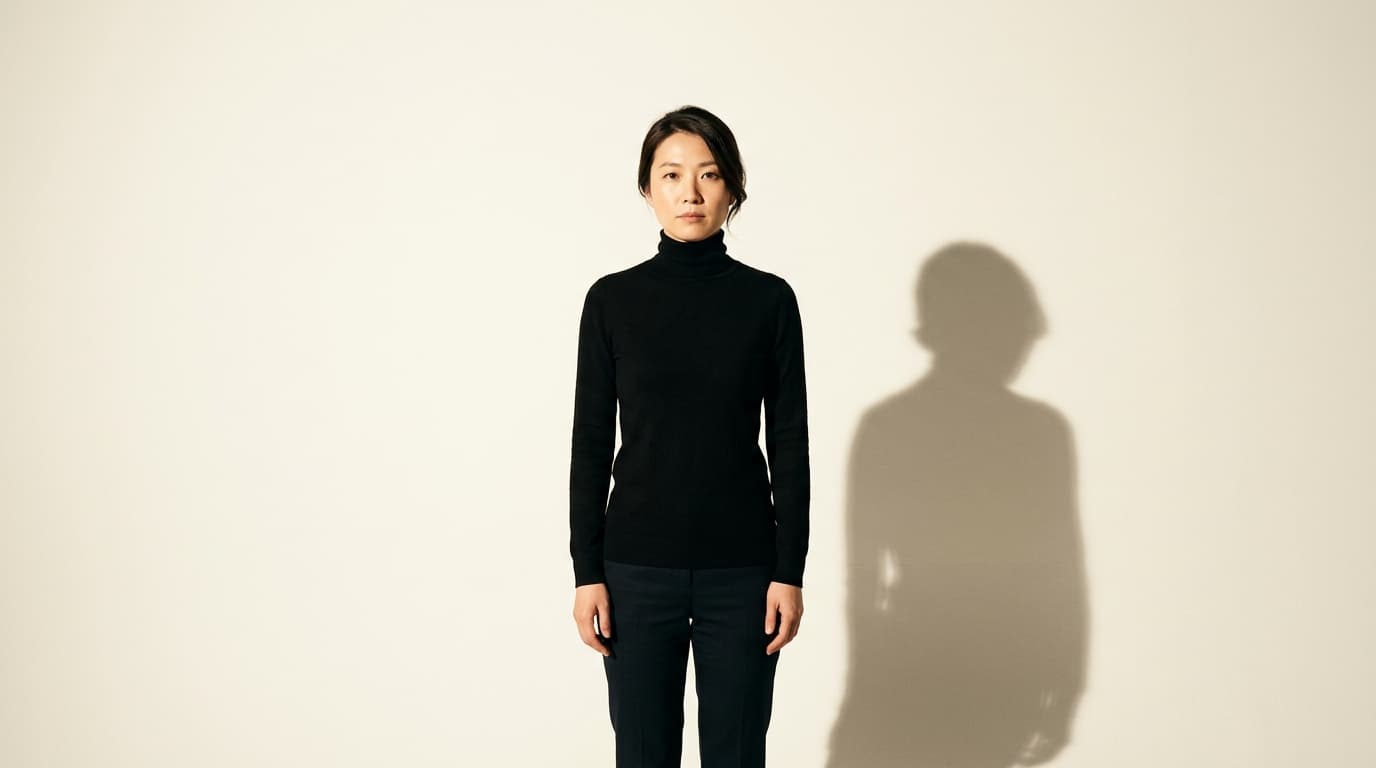
Open TikTok and you'll see the same shot on repeat: someone in a black turtleneck against a bare wall, delivering a deadly serious line — then cutting to a cinematic wide of themselves walking through smoke, water, or a rainy neon street. The line ends on a punchline that has nothing to do with the visuals. It's the Kumar Method, the fastest-growing AI video trend of 2026 — and every version fools you in the same three seconds.
The highlights
Trend size: the original Kumar Method video has cleared 33 million views and hundreds of recreations have pushed the format past 100 million cumulative views.
The trick isn't the AI — it's the contrast. A stone-faced talking-head on a phone camera, cut against expensive-looking cinematic wides, then landed with an absurd punchline.
You need one selfie and a script. Character consistency comes from a saved AI character; animation is deliberately restrained (a slow blink, a slight camera push) so the fakery never shows.
Why the Kumar Method is eating short-form
Most viral AI video trends this year burn out inside a week. The Kumar Method has run for months because it doesn't look like AI. The AI-generated shots are just cutaways — moody wides, hero close-ups, deadpan walk-and-talks — and the person on camera is undeniably real. Your brain accepts the whole thing as a stylized short film.
The pattern travels well. Beauty creators, agency founders, dating-app skeptics, engineers — anyone with a niche and a self-aware sense of humor can drop themselves into it. Which is why recreations outnumber the original 10-to-1 right now and the format is dominating the For You page across TikTok, Reels, and Shorts.
Receipts: Kapwing published the full step-by-step in July with copy-paste prompts — How to Make the Kumar Method Video With AI — and the trend's IG anchor is @thekumarmethod.
How to make a Kumar Method video (the exact recipe)
Five steps, roughly two hours end-to-end once you have your script and one clean headshot. The following images were generated using Nano Banana 2:

Prompt used: "Behind-the-scenes photograph of a young creator setting up a Kumar-Method-style shoot in a mid-century concrete studio. Phone on a tripod at eye level pointed at a plain grey wall, one hard warm key light from camera-right raking across the wall, a black turtleneck laid on a stool in the foreground, a printed script beside it. Editorial photography, sharp focus, high detail, well-exposed, bright, clear key light on the subject, no text overlays, no logos."
Write a three-beat script. Serious intro. Contrasting reveal. Ironic punchline. The template that keeps working: "This is a message to all [your niche]. My name is [your name]. I'm a [contrasting job], and I'm going to become the biggest [thing] in the world." Land it flat. Break the tone only on the last line.
Film the talking-head first. Phone at eye level, plain wall behind, one lamp from the side to carve a shadow across your face. Black turtleneck or a dark plain top. Deliver each line with a beat of silence between them — that pause is what makes the AI cutaways feel earned.
Lock a saved AI character before you generate anything cinematic. This is the step everyone skips and then wonders why their face looks different in every shot. Take one clean headshot, generate a neutral studio portrait, then three full-body reference plates (front, side, back). Save all four as one named character in an image model that supports character reference — Nano Banana 2, Kling's character mode, or a dedicated identity-lock avatar. Every later shot references that character, not a fresh prompt.
Generate 3–5 cinematic scenes off the same character. Match the aesthetic: strongly backlit near-silhouette, low-key subject on a high-key background, medium shot at 50mm depth of field, seamless studio or moody environment. Then animate each still into a 3–4 second clip with subtle movement only — a slow blink, weight shift, gentle camera push. Any big motion breaks the illusion instantly. Kling 2.6 Pro, Wan 2.6, and Seedance 2.5 all nail this if you prompt for restraint.
Cut hard between real and AI. Assemble in any timeline editor. Alternate talking-head clips with the cinematic wides on every sentence break. Hard cuts only — no dissolves, no fades. Add captions (80% of viewers watch on mute). Export 9:16 at 1080p. That's your Kumar Method video.

Prompt used: "Cinematic wide of the same young creator from the reference frame, standing dead-center in a rain-slick neon-lit street at night. Backlit near-silhouette, only a thin rim of magenta and cyan light down the edges of the body, face just readable in reflected bounce. Wide medium shot, 35mm, wet asphalt reflecting the color. Editorial photography, sharp focus, high detail, well-exposed, bright, clear key light on the subject, no text overlays, no logos. Negative prompt: dark, murky, underexposed, crushed blacks, heavy shadows, low-key, dim."

Prompt used: "Cinematic close-up of the same creator from the reference frame, hands in pockets, calm deadpan expression staring straight into the lens. Hard side key from camera-left, warm-white bright fill from camera-right, seamless bright grey studio background. Framed from mid-chest up, eye-level medium close-up, 85mm, shallow depth of field. Editorial photography, sharp focus, high detail, well-exposed, bright, no text overlays, no logos. Negative prompt: dark, murky, underexposed, crushed blacks, heavy shadows, low-key, dim."
Why this trend rewards you, not just the algorithm
Most viral AI formats are dead weight for your account — you ride the wave, get a spike, and then the trend moves on and none of the followers stick. The Kumar Method is different because you're the character. Every video reinforces your face, your niche, your voice. When someone lands on your profile after their eighth Kumar-style clip in a row, they meet the same person, not a rotating cast of AI models. That's how a trend post becomes a follow, and a follow becomes an audience that comes back for your next drop.
The bottom line
The Kumar Method works because a real human face, cut against a cinematic AI wide, reads as intentional filmmaking — not AI slop. To ship your own daily without redoing the character every time, lock your face into an identity model once and reuse it across every scene. That's exactly what your AI avatar on AI Avatar is built for — one selfie in, an identity-locked twin out, ready for every Kumar-Method cutaway you can dream up.
FAQs
Do I need to look like the original Kumar?
No. The look — black turtleneck, plain wall, side lighting — is a costume anyone can wear. Your face, script, and niche are what make the video yours. The aesthetic is the shared language; the person on camera is the point.
Which AI model should I use for the cutaways?
Any model that holds character consistency across shots. Kling 2.6 Pro is the current default for cinematic motion, Seedance 2.5 for 30-second continuations, Nano Banana 2 for the identity-locked stills you animate. The specific model matters less than saving one reference character and reusing it every time.
How long should each AI cutaway be?
Three to four seconds. Longer clips give AI too much rope — the fingers wander, the eyes drift, the camera does something weird. Short clips with subtle motion keep the illusion airtight.
Do I need Kapwing specifically?
No. The Kapwing tutorial popularized the recipe, but any timeline editor works. The workflow is: talking-head footage in one track, AI cutaways in the other, hard cuts between them, captions on top.
Will this trend still be alive next month?
The specific Kumar Method aesthetic will fade, but the underlying template — deadpan talking-head + cinematic AI cutaways — is here to stay. It's the same structure that powered documentary explainers and mockumentary skits for decades. Learn it once, adapt it to whatever aesthetic wins next.