How to Label AI Avatar Content Without Losing Reach
Instagram now limits unlabelled AI-generated profiles. Here is every switch to set on Instagram, TikTok and YouTube so your AI avatar keeps its reach.
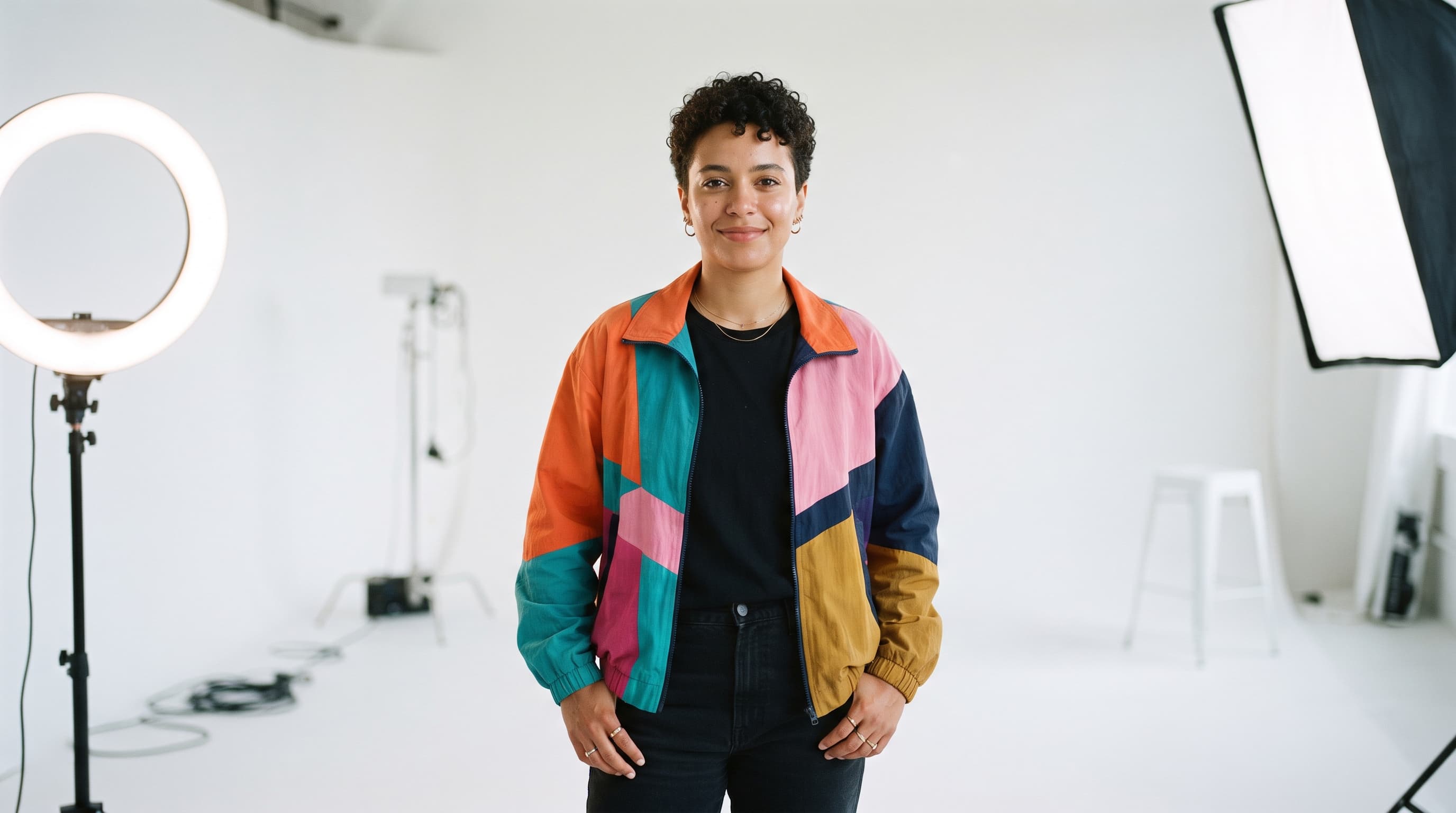
You built an AI avatar, it looks real, and the reels are starting to travel. Then you read that Instagram may stop recommending profiles like yours. The fix is not to hide the AI; it's to label it in the right places. This guide walks through each switch on Instagram, TikTok and YouTube, in the order a creator meets them. The avatars made on AI Creator Academy are AI-generated people, so everything here applies to what you make with them. This is practical guidance, not legal advice.
On August 31, 2026, Instagram renamed its AI creator label to AI-generated profile and said it will limit the reach of profiles that feature an AI-generated person and don't add it. Profiles it detects get a notification and can check Account Status to see whether they're still eligible for recommendations.
What you need
- Access to the Instagram, TikTok and YouTube accounts that post your avatar
- A list of which accounts feature an AI-generated person and which only use AI tools
- Your next reel or video, ready to upload, so you can set the labels as you post
- Ten minutes once a month to check Instagram's Account Status
Step by step
- Decide which label you need. Instagram has two: the AI-generated profile label for an account whose featured person is AI-generated, and a post-level AI label for individual posts. If your face is real and you only use AI for edits, captions or backgrounds, Instagram says you don't need the profile label.
- Turn on the AI-generated profile label. On Instagram, go to your profile, tap Edit profile and switch on the toggle next to AI-generated profile. The label then shows on your profile and next to any post that doesn't already carry its own AI label, and Instagram says profiles that add it proactively see no change in reach.

- Add the AI label to every realistic reel. When you create a post or reel, switch on the toggle next to Add AI label before you share. Meta requires this for photorealistic video or realistic-sounding audio, including a reel narrated with a realistic AI voiceover; for a story, tap Options, then Label AI.
- Switch on TikTok's AI-generated content setting. For a video, tap Add post, record or upload, tap Next, open More options and turn on the AI-generated content setting; for a photo, it sits under Post settings. TikTok requires the label on realistic AI images, audio and video and says the setting won't affect distribution if the post follows its Community Guidelines.
- Answer Yes under AI use on YouTube. While uploading in YouTube Studio, find the Attributes section and select Yes under AI use for a realistic scene that didn't happen, which includes a photorealistic AI person talking to camera. YouTube says the disclosure won't limit a video's audience or its eligibility to earn money.
- Keep the paid partnership label separate. An AI label tells viewers how the content was made; it says nothing about who paid for it. A sponsored reel with your AI avatar needs both the AI label and Instagram's paid partnership label, and neither one replaces the other.
- Never present an AI person as a real customer. Your avatar can demo, explain and react as itself, but don't caption it as a buyer, patient or client with a real story. A labelled AI character is fine; a made-up testimonial passed off as a real person is the kind of profile Instagram's change targets.
The images in this guide were generated using Nano Banana 2.
Worked example — the face that needs the profile label. This portrait shows a person who does not exist. If a face like this is the one your account is built around, Instagram's rule applies: turn on AI-generated profile, and label any reel where this face moves or speaks.

Prompt (Nano Banana 2, 1:1):
Square editorial portrait of a non-binary creator in their 30s, mixed heritage, short curly hair, bright orange and teal patterned shirt, small gold hoop earrings, facing the camera with a warm half smile, circular ring light reflection visible in their eyes, seamless coral pink studio backdrop, bright even light, sharp focus on the face, natural skin texture with pores, 85mm lens, no text, no logos
Worked example — a realistic scene that must not pose as a testimonial. This mother and teen look like real customers, which is exactly why the caption matters. Use a scene like this to set a mood, label realistic video made from it, and never write it up as a real family's story about your product.

Prompt (Nano Banana 2, 1:1):
Square editorial photograph of a mother in her 40s and her teenage daughter sitting close together on a light grey sofa in a bright living room, both looking down at a phone the teen holds, the phone seen from behind so its screen is not visible, the mother pointing at it with a curious, thoughtful expression, the teen explaining, soft afternoon window light, cushions and a throw blanket, bright, well exposed, natural skin texture, no text, no logos
Common mistakes
- Labelling the posts but not the profile. If the person your account features is AI-generated, the post labels alone don't cover it. Turn on AI-generated profile in Edit profile as well.
- Putting the profile label on a real person's account. Instagram says creators who simply use AI tools in their process don't need it. Keep it for accounts whose featured person is AI-generated.
- Labelling on Instagram and forgetting the cross-posts. The same reel needs TikTok's AI-generated content setting and YouTube's AI use answer when it goes there. Set each one at upload.
- Never checking Account Status. Instagram notifies the profiles it detects, but the restriction itself shows in Account Status. Look once a month, and appeal there if you were flagged by mistake.
The bottom line
Labelling an AI avatar is a few toggles, not a reach penalty: Instagram, TikTok and YouTube each say a correct label doesn't cut distribution, while Instagram now limits unlabelled AI-generated profiles. Label the profile, label realistic video and voice on every platform, keep sponsorship disclosures separate, and let your avatar be itself rather than a fake customer. When you're ready to build one, start with your avatar.
FAQs
Do I need the AI-generated profile label if I only use AI for editing?
No. Instagram says creators who simply use AI tools as part of their creative process don't need it. It's for profiles that feature an AI-generated person.
Do AI images on Instagram need the Add AI label?
Meta's Help Center says it doesn't require labels on images, only on photorealistic video and realistic-sounding audio. Images can still get a label automatically if Meta's systems detect AI signals in the file.
What happens if Instagram flags my profile by mistake?
Open Account Status to see whether your profile is still eligible for recommendations, and appeal there. Instagram says a successful appeal makes the profile and its content eligible again.
Can I remove an AI label TikTok added automatically?
No. TikTok says that once a post carries its automatic AI-generated label, for example from Content Credentials in the file, you can't remove it.
Does a cloned version of my own voice need disclosure on YouTube?
YouTube lists cloning your own voice for voiceovers or dubs among the uses that don't need disclosure. A realistic AI person on screen still does.
Sources: Instagram for Creators: AI-generated profile label, Instagram Help Center: Label AI content on Instagram, Meta: Labeling AI-generated images, TikTok Support: About AI-generated content, YouTube Help: Disclosing use of GenAI content.